
Browser
A browser is a pre-defined set of views with filters pre-applied. This is presented in the form of nodes in a tree in the left hand pane and a new view is generated when a node is selected.
To go to the work order browser, select any work order and right click and select “Browse Work Order”.
A new screen is presented as follows:
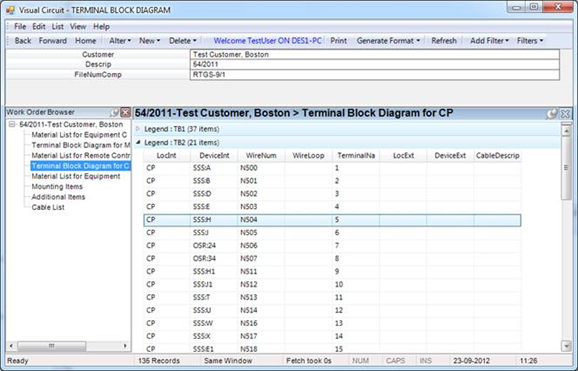
VisualCircuit output summary can be viewed and printed from this interface. Printable Drawings with title blocks are found inside the Work Order Schematic Screen.